MaintenanceTech for Property Managers
Three people on every repair. One place to run it.
A manager answers to owners as well as tenants, and most of the day goes on knowing whose decision a job is waiting for. MaintenanceTech runs the calls — intake, sourcing, booking, the owner’s approval — and keeps the three of you in step without anyone chasing anyone.
Property manager + Tenant + Owner
01 · Who is in the room
Everyone sees their own part of it.
Three apps, three views of the same job. Nobody is copied into a thread that is not theirs, and nobody has to ask where a repair got to.
- 01
Your team
Runs the operation and holds the decisions. The AI works the job and stops wherever a person is required.
- 02
The tenant
Reports the problem, takes the intake call, and is told what is happening without having to chase anyone.
- 03
The owner
Sets spending rules, approves what goes over them, and sees their own properties — and nothing else.
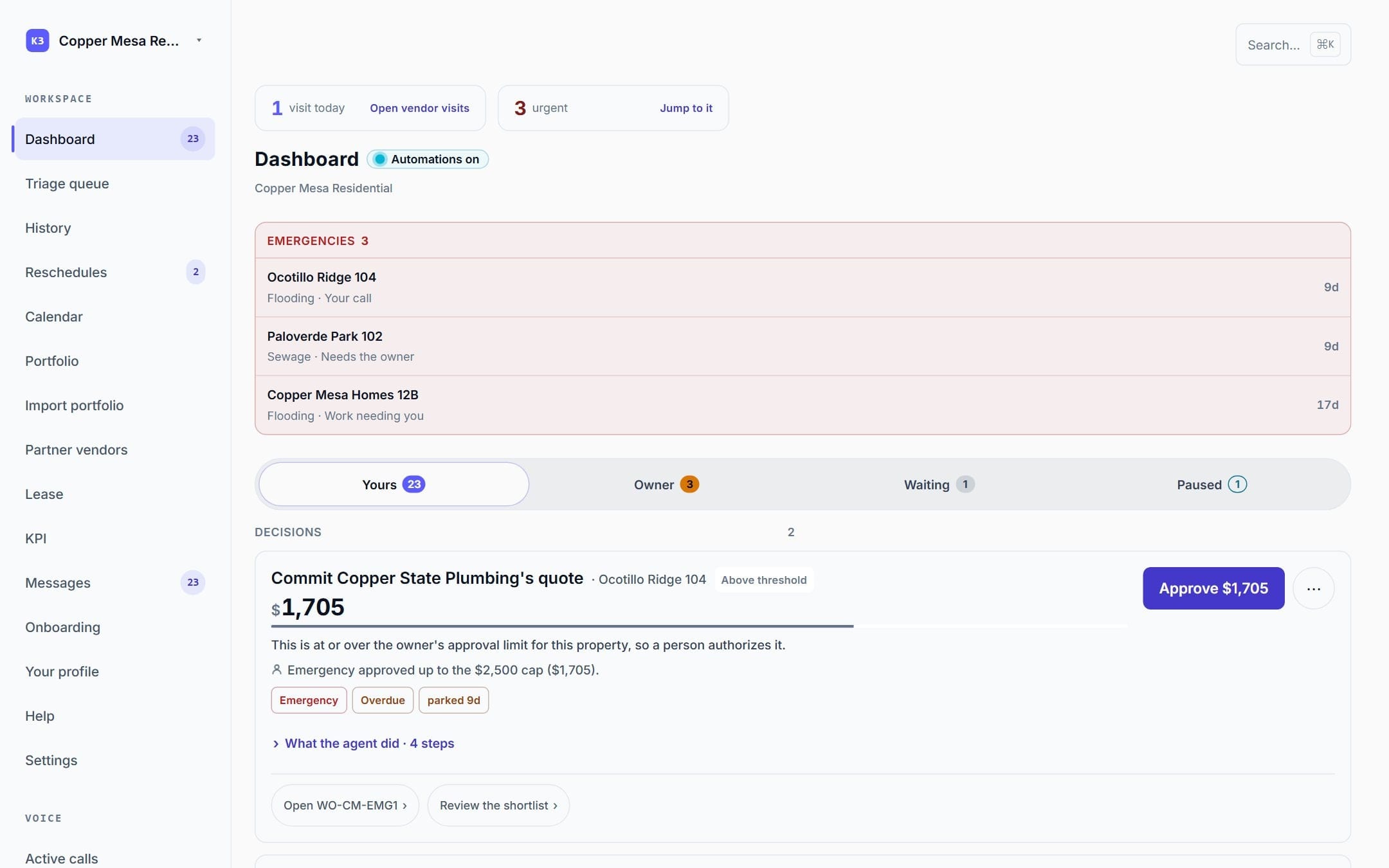
02 · Whose call is it
The queue already knows who is waiting.
Not one inbox with everything in it. Your decisions, the owner's decisions, the jobs waiting on somebody else, and anything the AI stopped itself on — separated before you open the app.
01Sorted for you
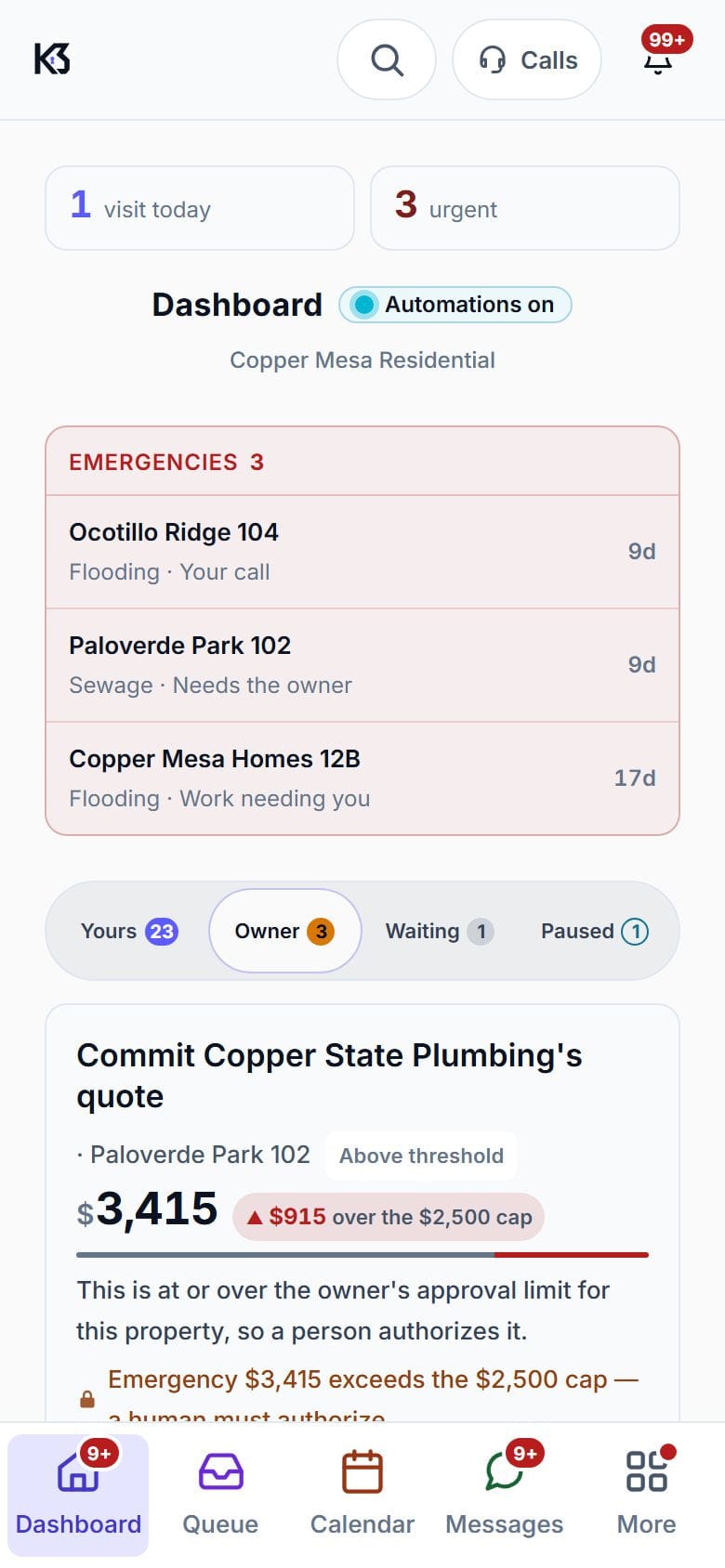
02Held for the owner
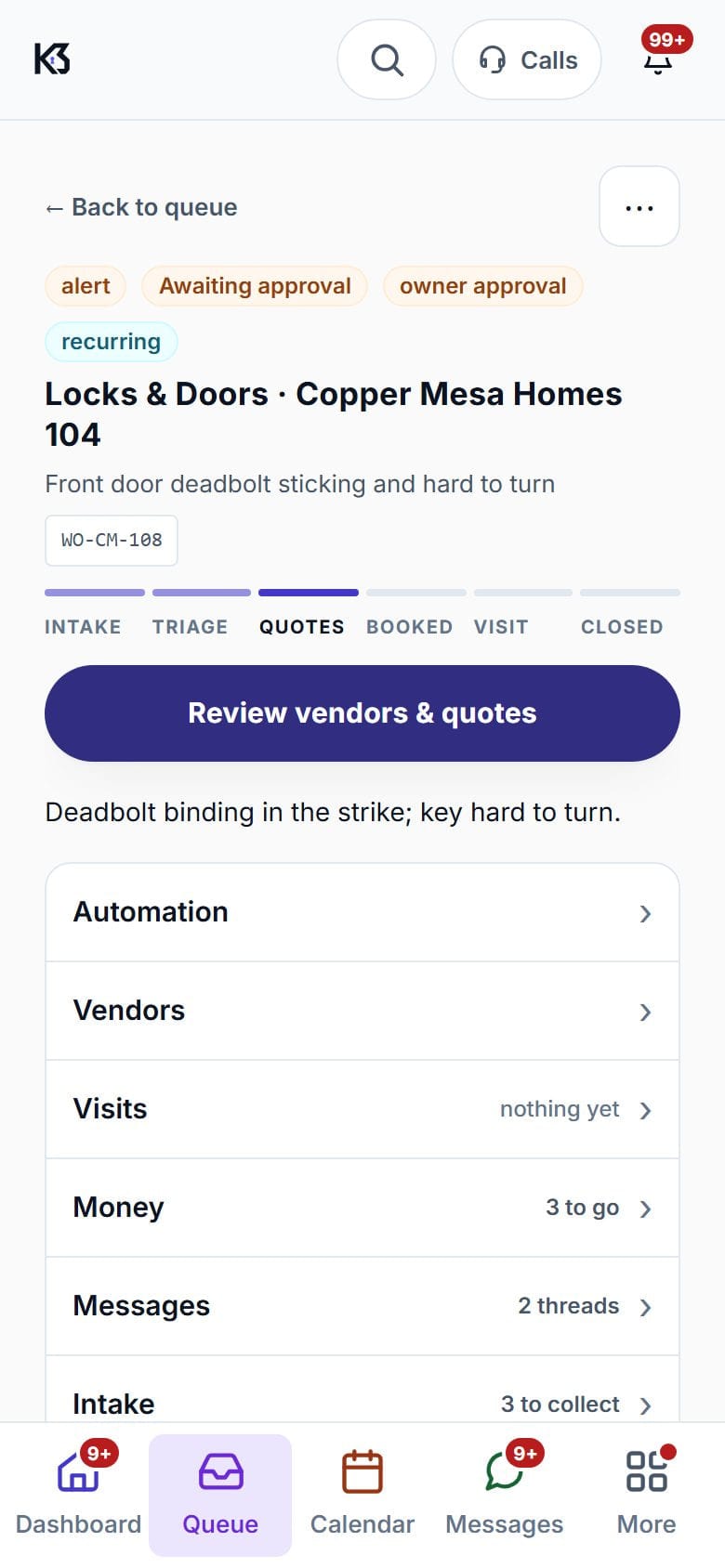
03The owner answers
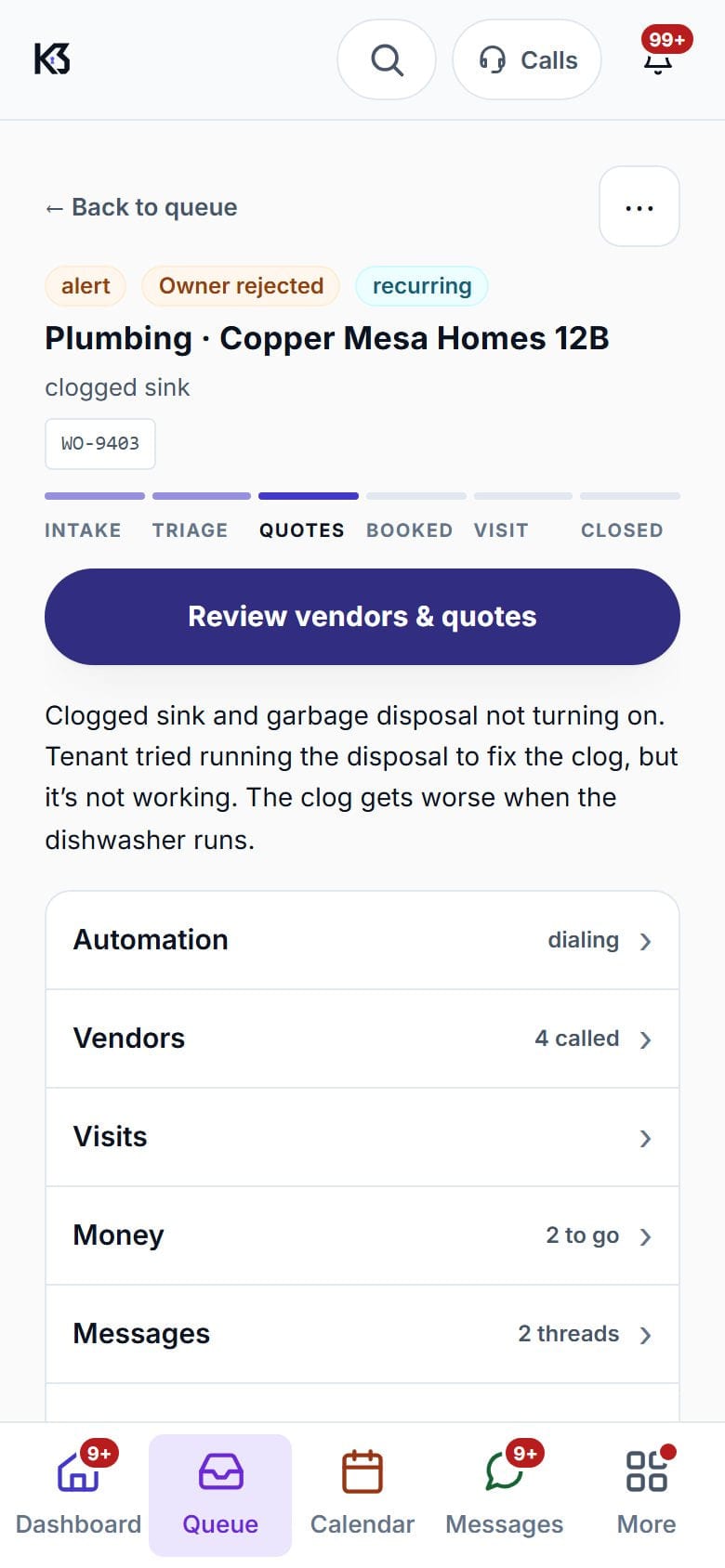
03 · The owner
Owners get an app, not a monthly phone call.
They see their own properties, the decisions that are theirs, and what their manager has already handled. Small repairs can be pre-approved by trade, so a leaking tap is never held up because someone needs their coffee first.
- The AI calls them for a decision, so you are not the messenger.
- Their own standing rules, by trade and by threshold.
- Approvals split into what needs them and what needs their manager.
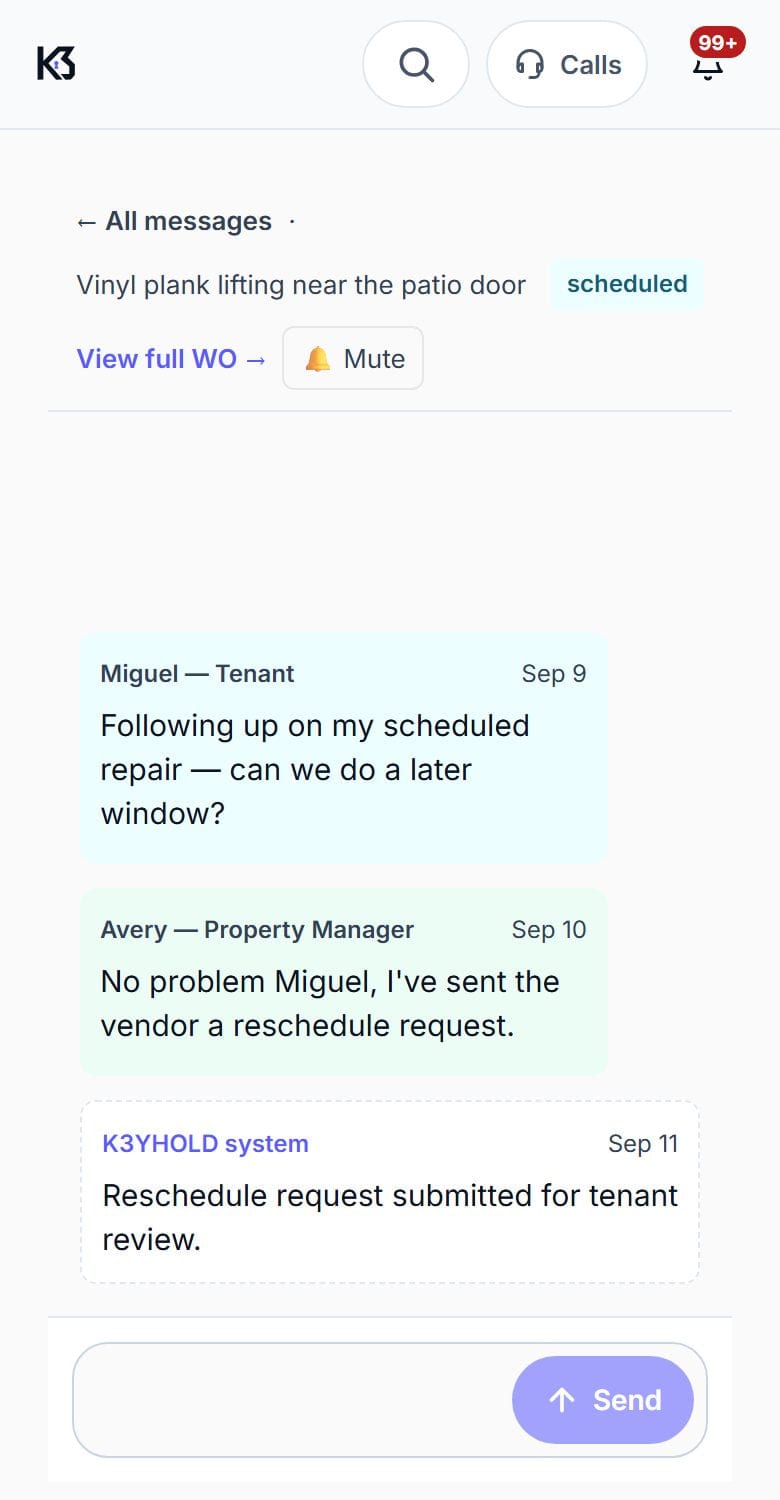
- A private thread with the manager, separate from the tenant’s.
- A monthly digest of what happened on their properties.
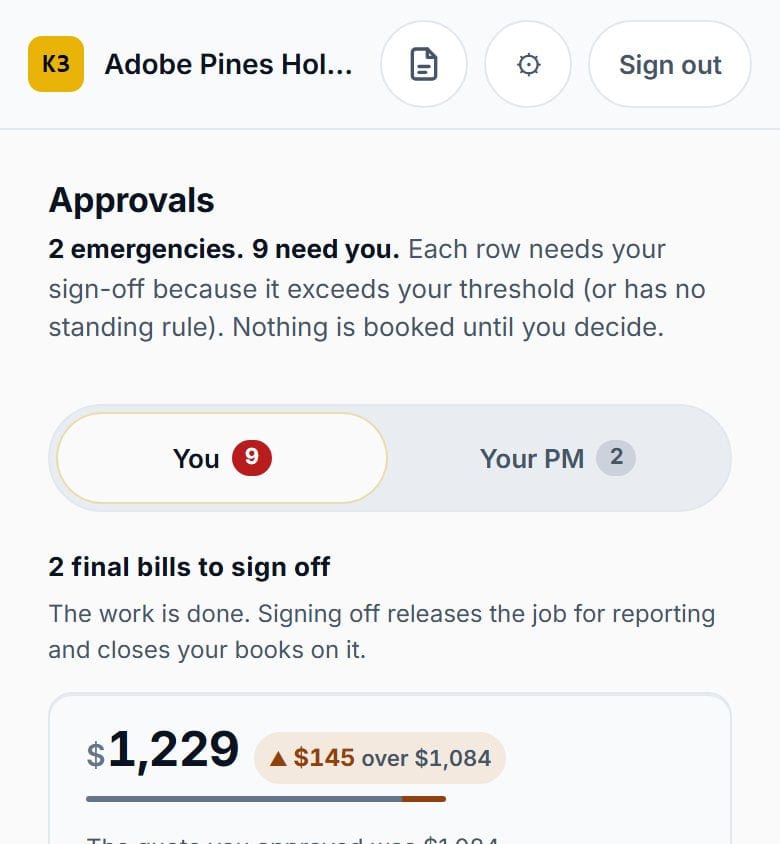
And it makes that call itself.
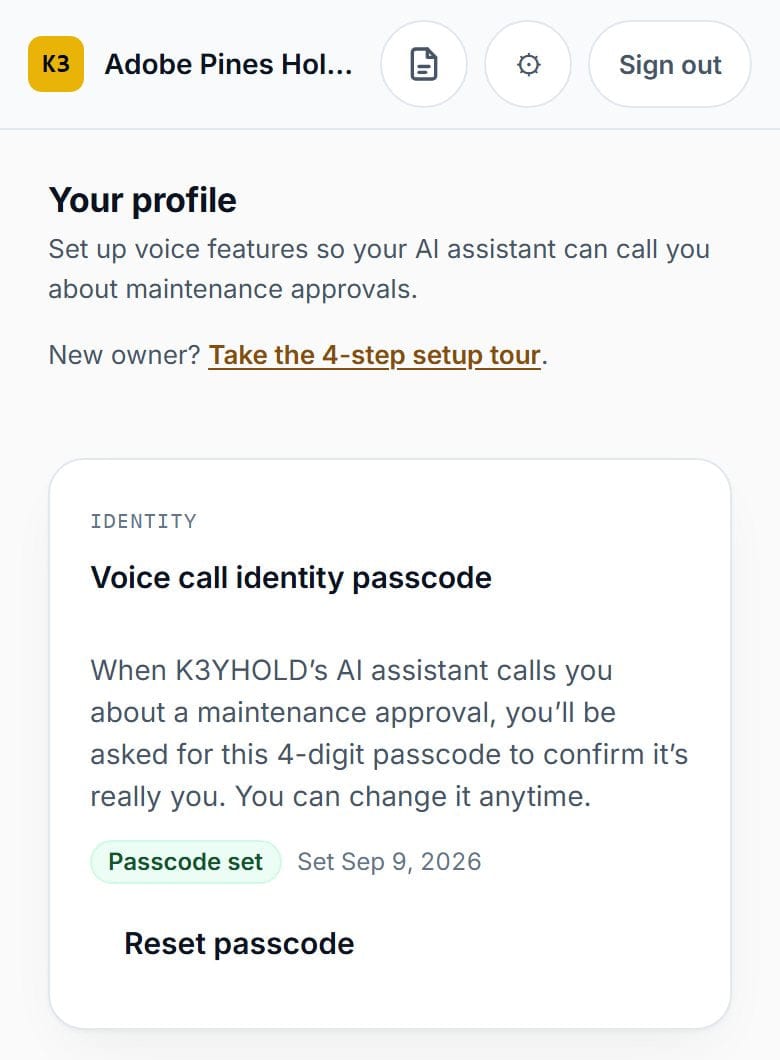
When a quote is over the owner’s cap, the AI phones the owner, explains the job and the number, and takes the decision — after a passcode. You see the call, the transcript and the answer on the job, without having spent your morning arranging it.
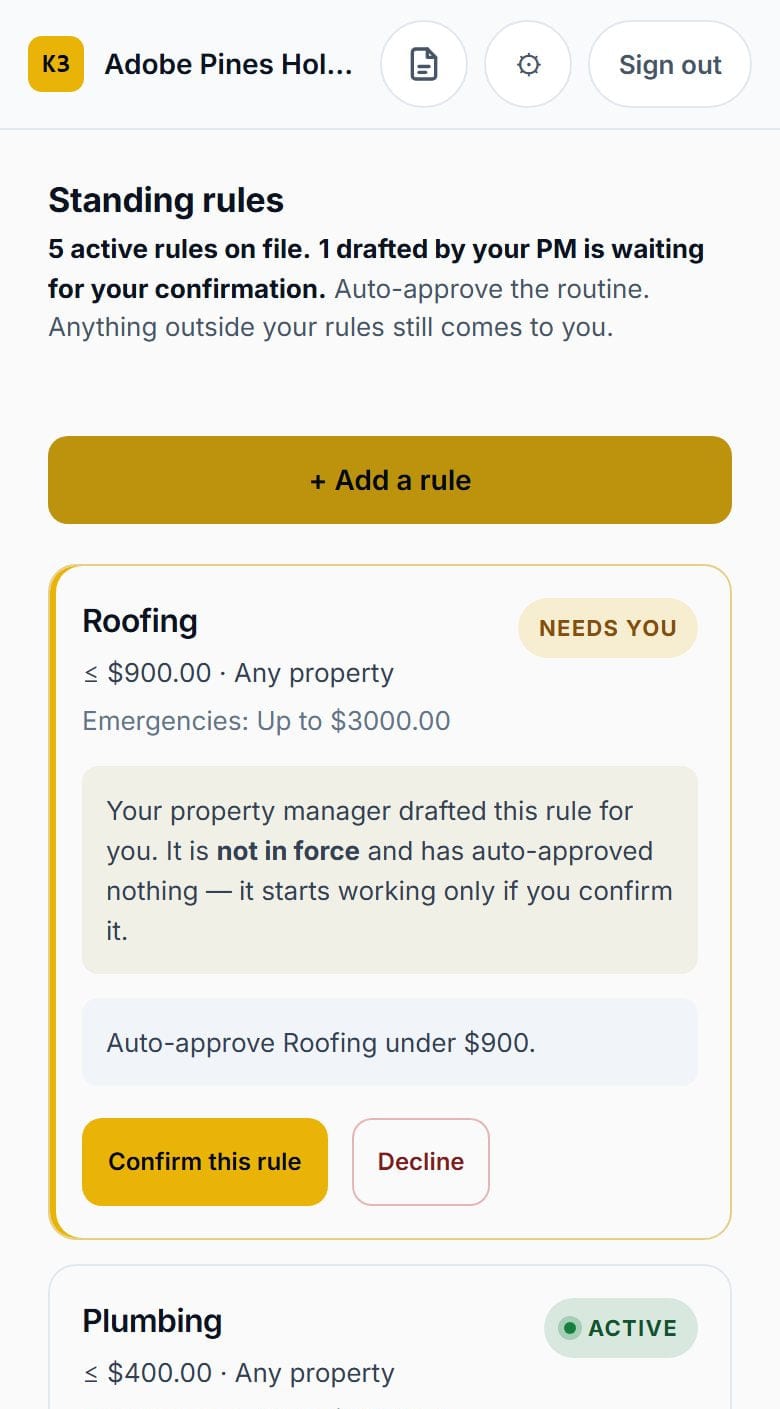
The routine stops being a conversation.
An owner who pre-approves plumbing under $500 has decided already. Their manager books it, the record shows the rule that allowed it, and nobody spends a morning getting hold of anyone.
Anything outside the rule still goes to them, and the rule can be paused at any time.
04 · Kept apart
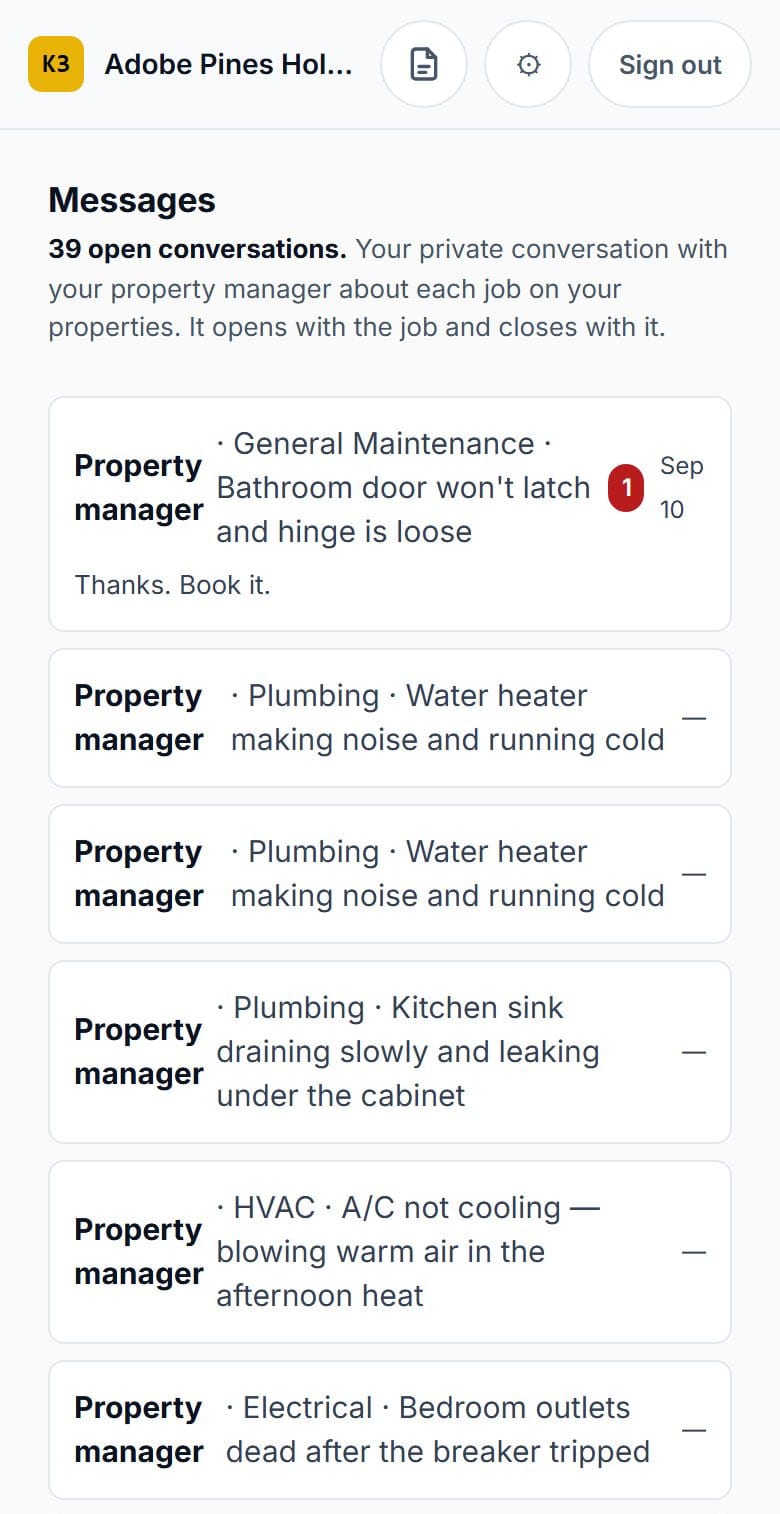
Three relationships, not one group chat.
Tenant, owner and vendor, each kept apart. On every job the manager has a private conversation with the tenant and another with the owner, and neither sees the other's. The vendor gets the job by phone and on the job sheet.
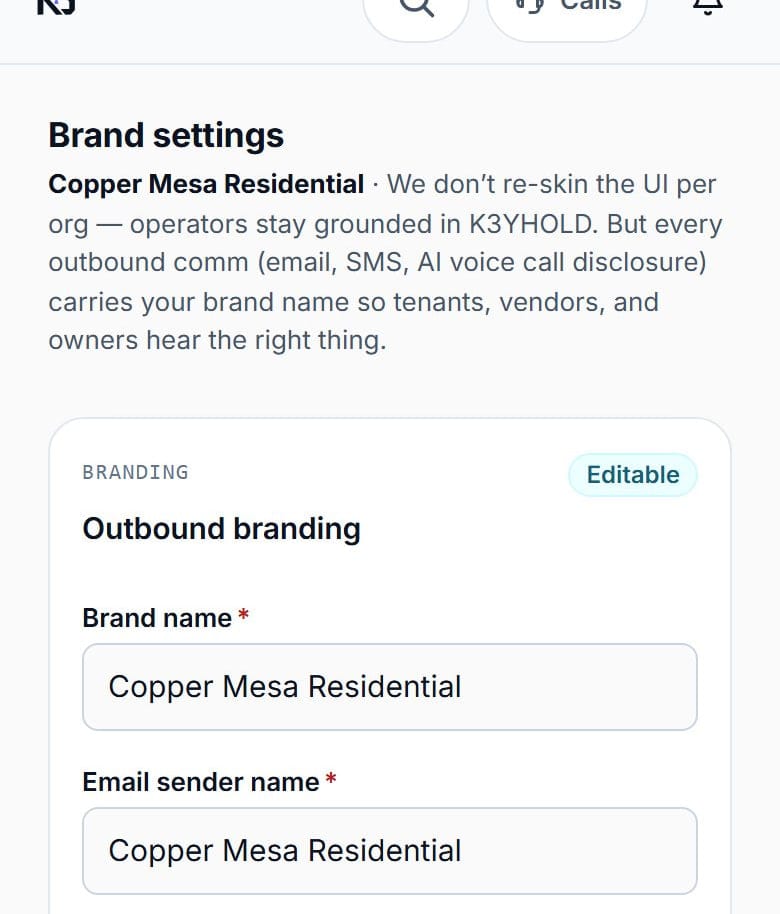
Your name on the call, not ours.
Tenants, vendors and owners hear your company’s name. The AI discloses itself on every call, and the brand it says it is calling on behalf of is yours — on the calls, in email, and in the messages that go out.
05 · What your team gets
Everything, labelled.
Every row carries its status, checked against our own capability record as of September 21, 2026.
Decision inbox
Emergencies first, then everything waiting on a person.
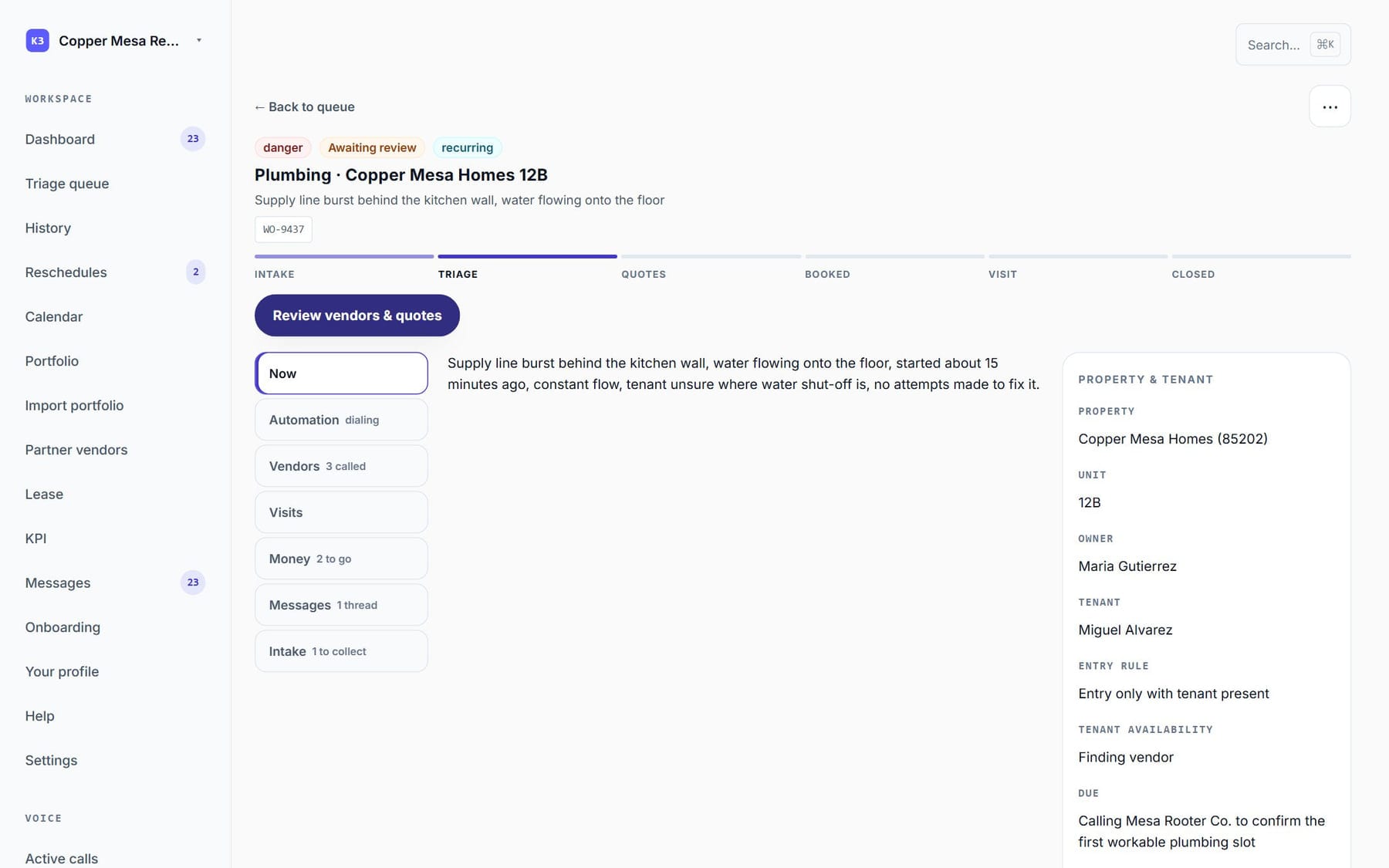
Works todayA job page with a six-step tracker
Intake, Triage, Quotes, Booked, Visit, Closed — plus a money close-out checklist.
Works todayYour Partner vendors offered first
“Attach & call” books a Partner in one motion; the AI gets a price and a time.
Works todayOwner approvals, with the owner's own rules
Over-limit quotes park for the owner; the AI can call the owner to take the decision after a passcode.
Works todayCalls list, call review and grading
Every AI call with its transcript and what the AI did, step by step. Follow any call live, as text.
Works today2 a.m. emergency setup
Your after-hours contractor list and call chain, set up ahead of time.
Works todayPortfolio, leases and the lease companion
Buildings, units, owners and tenants; lease papers with key terms pulled out and drafted notices.
Works todayNumbers page
Key measures, like how fast jobs get booked.
Works today⌘K assistant
Answers only from that job's real records — and asks for a job number instead of guessing.
Works todayYour company name on every email and call
Your own logo and colors inside the apps are coming.
Works todayLive link to AppFolio, Buildium and others
Today: exported-file handoff. A manager can download the company's records at any time.
ComingGoogle and Yelp search for new vendors
Find companies beyond your own roster when none of your Partners fit the job.
Works today
06 · Partners
How the Arizona beta works.
A measured run on your real operation, with clear rules — not a free trial. The Arizona beta is open — we're seeking pilot and design partners.
- 01
Apply
Send us your company and portfolio on the form. We take on a small number of Arizona residential managers, and we read every one.
- 02
Scope together
We agree the properties, the owners' spending limits, your vendor roster and after-hours coverage before anything goes live.
- 03
Baseline first
We look at how maintenance runs today, so any change is measured against your own starting point — not an industry average.
- 04
Run it, reviewed
The AI runs the calls; your team makes the decisions. Safety events and open jobs are reviewed on a set schedule, and anyone can pause it.
07 · Questions
Questions property managers ask.
Does the person on the phone know they're talking to an AI?
Yes. The first sentence of every call says it is K3YHOLD's AI and that the call is recorded, and it can't be cut short. After each call, the system checks that the opening was actually spoken.
Will the AI spend an owner's money on its own?
No. Every dollar traces back to a person — either someone approved it, or the owner set a spending rule ahead of time. Any quote at or over the owner's limit stops and waits for a person to decide.
Does it connect to AppFolio or Buildium?
Not with a live two-way link yet. Today MaintenanceTech hands information off as an exported file, and a live link is on the roadmap. You can also download a copy of your records at any time.
Will my tenants get text messages?
Yes. Updates can go by text, alongside email, in the app and by push notification.
What does the AI do if something is genuinely dangerous?
It tells the tenant to get themselves to safety and contact the right emergency service first, and it says so before anything else. It never contacts an emergency service itself, and it never tells anyone that help is on the way.
Are calls recorded? For how long?
Yes, both sides. Audio is kept up to 90 days, and a company can choose less; emergency jobs and calls under a legal hold are kept longer. Written transcripts and decisions are kept longer than audio.
Does it work in more than one language?
Yes. Tenants can be set up in the language they actually use, so the app and the calls reach them in it.
What does it cost?
We aren't publishing pricing during the Arizona beta. We'll talk it through when you get in touch.
Run it on your own portfolio.
The Arizona beta is open. We take on a small number of Arizona residential management companies, and change the product on what we learn.